Organization profile, logo and time zone
Change your organization's name, logo, address slug, website and default time zone.
Updated 2 min read
Your organization's profile is in Settings › General › Profile. Owners and admins can change it. Members do not see this page.
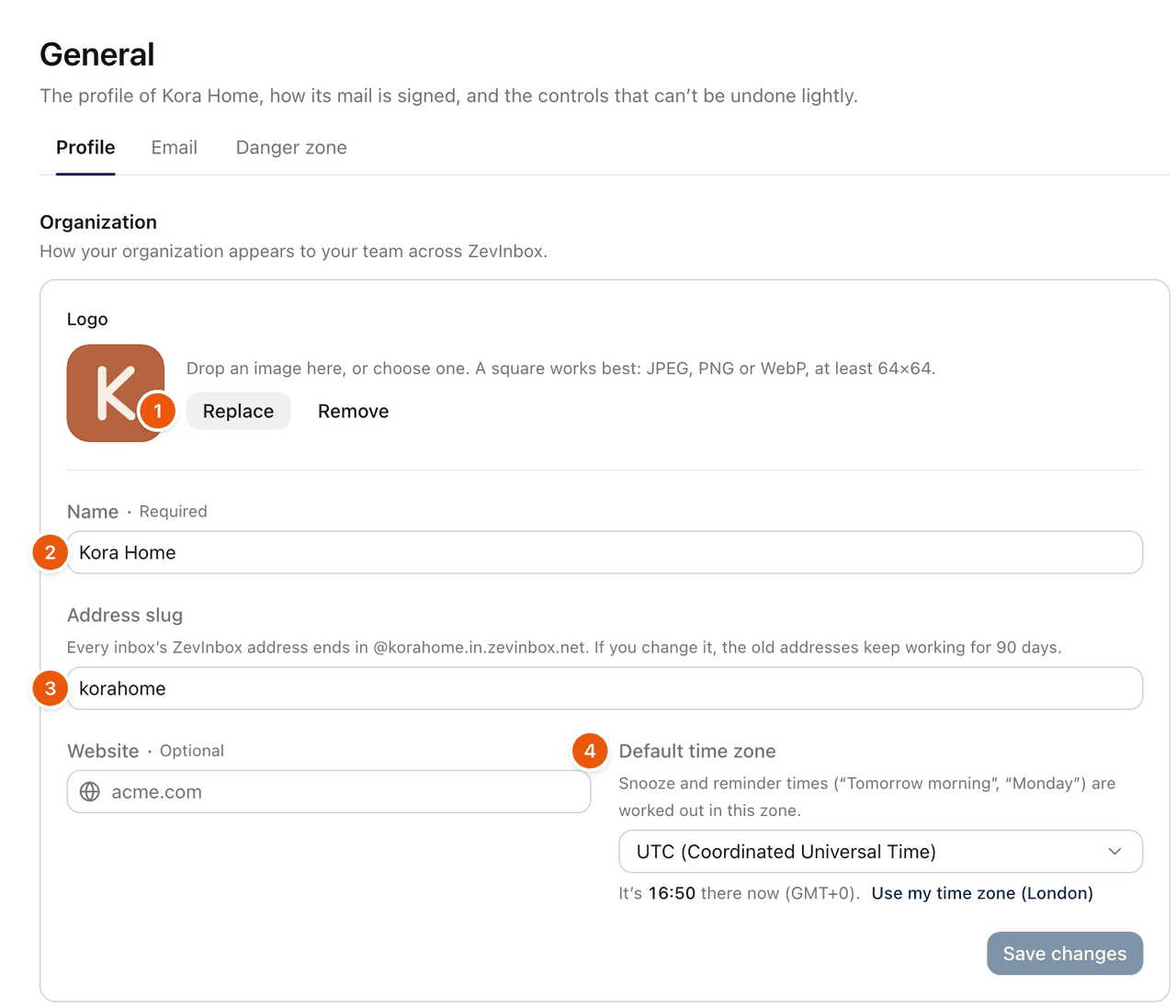
Logo
Select Upload logo, or Replace if there is one already. You can also drop an image on the logo.
Use a JPEG, PNG or WebP image, at least 64 by 64 pixels and up to 5 MB. A square works best.
In Position your logo, drag to move it and zoom until it fills the square.
Select Use this logo. It is saved straight away.
Remove takes the logo off. Your team sees the logo in the organization switcher and across ZevInbox.
Name, address slug and website
Edit the field, then select Save changes. Discard undoes edits you have not saved.
Name: how your organization appears to your team. Up to 80 characters.
Address slug: every inbox's ZevInbox address ends in
@<slug>.in.zevinbox.net. See Your ZevInbox address.Website: optional. Enter it like
acme.com.
After a change, Old addresses at the top of the page shows until when the old addresses work and whether mail still arrives at them.
Default time zone
The Default time zone is your organization's time zone. It is used for:
snooze and reminder times, such as "Tomorrow morning" or "Monday",
business hours, which are set in this zone,
the days in Reports.
Choose a zone from the list, or select Use my time zone to pick the one your computer is in. Then select Save changes. Changing the time zone recalculates all your reports.
Details
Under Details you see the Organization ID, when it was Created, Your role and its Plan.
Related
Was this helpful?
Still stuck?
Email hello@zevinbox.com with what you tried, and the team answers.