ZevInbox and your email
A shared inbox, beside the email you already have
ZevInbox is for the addresses a team answers together, like support@ and sales@. Your own email stays with the provider you use today. ZevInbox does not replace it.
- What it is
- One place where a team answers a shared address. Each conversation has an owner, and the team talks about it in notes the customer never sees.
- What it is not
- A replacement for Gmail or Outlook. Inboxes belong to teams, not to one person, and there is no calendar.
- What you keep
- Your domain, your addresses, and your current email provider if you want to stay with it.
How your mail gets to ZevInbox
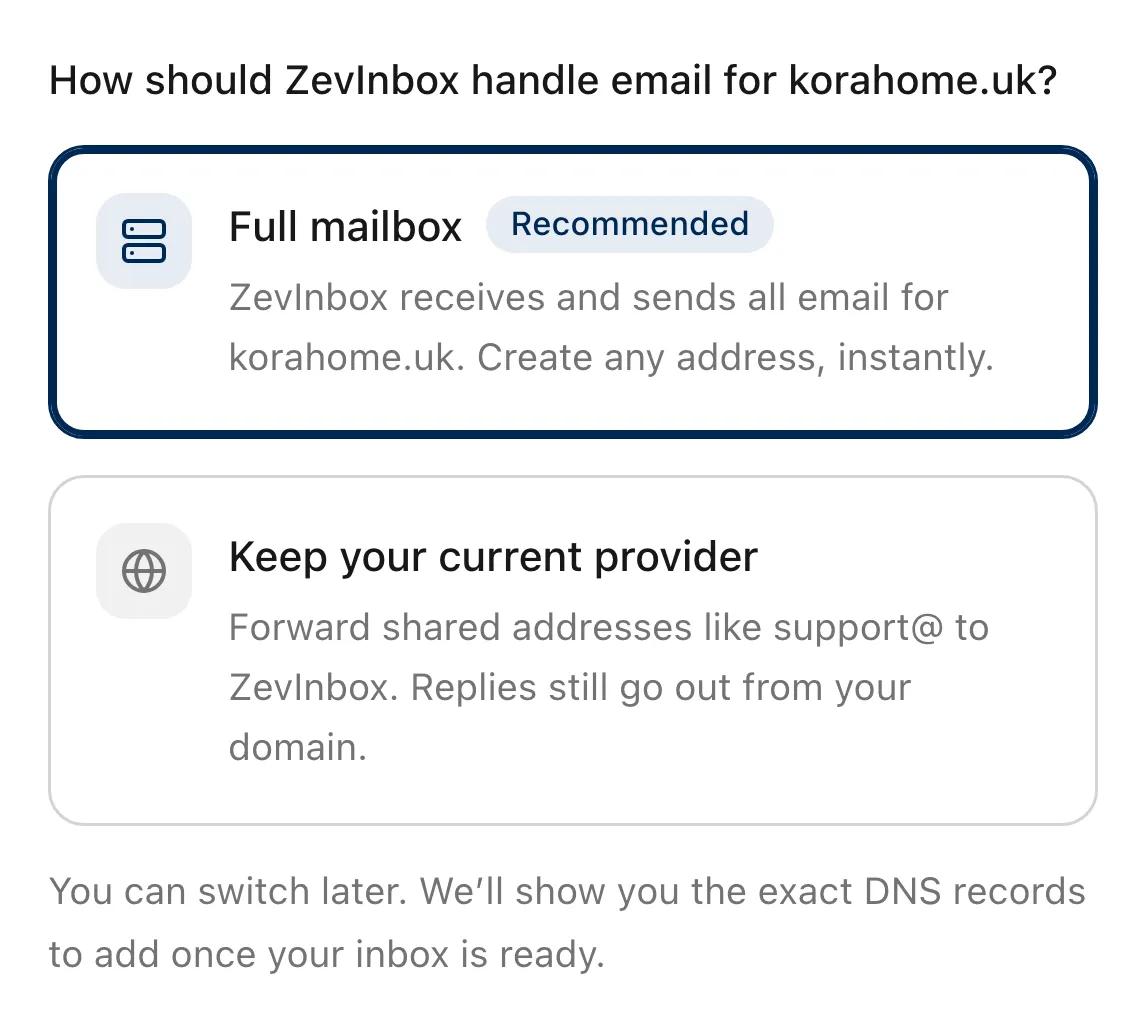
There are two ways. You choose one when you add your domain, and you can switch later.
- Keep your current provider Fits a business whose staff mailboxes are on Google Workspace, Microsoft 365 or another host.
- In that provider, forward each shared address, like support@, to the ZevInbox address of its inbox. Your MX records stay as they are. You add DNS records so ZevInbox can send as your domain, and one MX record on a reply subdomain so customers’ replies come straight back.
- Full mailbox Fits a domain with no other email provider.
- Point the domain’s MX records at ZevInbox and it receives all mail for the domain. Create an inbox for each address you want. Do not choose this while people still have mailboxes on the same domain elsewhere, because their mail would stop arriving there.
- Before your DNS is ready Works from the first day.
- Every inbox has its own ZevInbox address. It receives mail and lets you reply while your domain is being set up. New conversations go out from your own domain once it is verified.
The ZevInbox web app on a phone
The usual ways to share an address
Each of these works for some teams. This is what each one does, when it is enough, and where it stops.
One mailbox, one password
- What it does
- Everyone signs in to the same account and sees the same mail.
- Enough when
- Two people who sit together and tell each other what they have answered.
- Where it stops
- Nothing shows who is handling a message, and every reply comes from the same account. When someone leaves, the password changes for everyone. Google says an account is meant for one person, and that a failed login challenge can temporarily lock it for everyone using it.
A distribution list or group
- What it does
- Mail to the address is copied to each member’s own mailbox.
- Enough when
- Announcements and notices everyone should read. Microsoft describes distribution groups as best for broadcasting to a set of people.
- Where it stops
- Each person has a separate copy. A reply leaves from one person’s mailbox, so the others see it only if they are copied in. Nobody can tell from their own copy whether the customer has an answer.
Google Groups collaborative inbox
- What it does
- A Google group with collaborative inbox features turned on. Members take or assign a conversation, mark it complete, duplicate or no action needed, add labels, and filter by who it is assigned to. The assignee gets an email.
- Enough when
- A team on Google Workspace that needs to know who owns a conversation and whether it is done.
- Where it stops
- Assigning and resolving happen in Google Groups. Google’s help pages for it do not describe notes only the team can see, a draft two people write together, or a sign that a teammate is already replying.
Gmail delegation
- What it does
- The owner of a Gmail account lets other people into it. A delegate can read, send and delete mail in that account. Google lists it as an alternative to sharing a password.
- Enough when
- An assistant managing someone’s mail, or a few people covering one address.
- Where it stops
- It is one ordinary mailbox with several people in it. Google documents up to 1,000 delegates, about 40 using the account at the same time with typical use, and delegates from the same organization only.
Microsoft 365 shared mailbox
- What it does
- A mailbox several people open from their own Outlook. With permission they send as the mailbox, or on its behalf. It includes a shared calendar.
- Enough when
- An info@ or front desk address answered by a small group that already works in Outlook.
- Where it stops
- Microsoft recommends no more than 25 people using it at the same time, and says more can cause connection failures or duplicated messages. Members cannot be stopped from deleting messages, and only people inside the organization can use it.
Checked against Google’s and Microsoft’s own help pages in October 2026. Those products change, so read their documentation for the current details.
What a team needs from a shared address
Seven things, and what ZevInbox does about each.
- Who is handling this
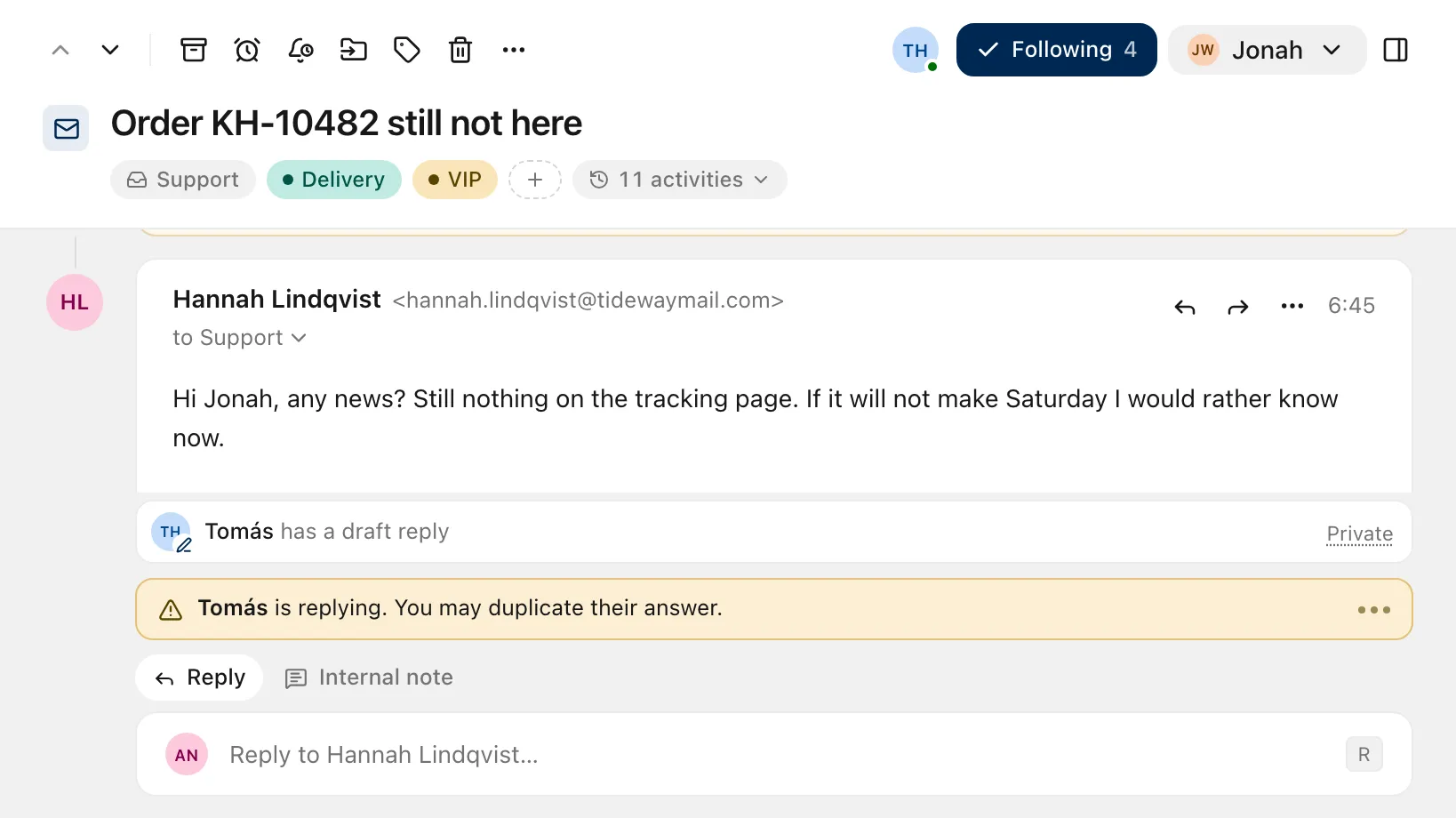
- Every conversation has one owner, and their avatar shows on its row in every list. New mail waits in All unassigned until someone takes it.
- Whether anyone has replied
- Everyone sees the same thread, with every reply in it. If a teammate is already replying, you are told before you write the same answer twice. A reply scheduled for later shows to everyone who can open the conversation.
- Talking about it in private
- Leave an internal note on the conversation and @mention a teammate. Notes sit next to the email they are about, and customers never see them.
- Writing a reply together
- Share a draft with a teammate and write it together, with each other’s cursors and names on screen.
- When someone leaves
- Each person signs in with their own Zevop account, so there is no shared password to change. Remove them and their access ends. Conversations they owned become unassigned, and the history keeps their name.
- Who can see what
- Members see only the inboxes their teams use. Owners and admins see every inbox. The Read tab on a conversation lists who has read it.
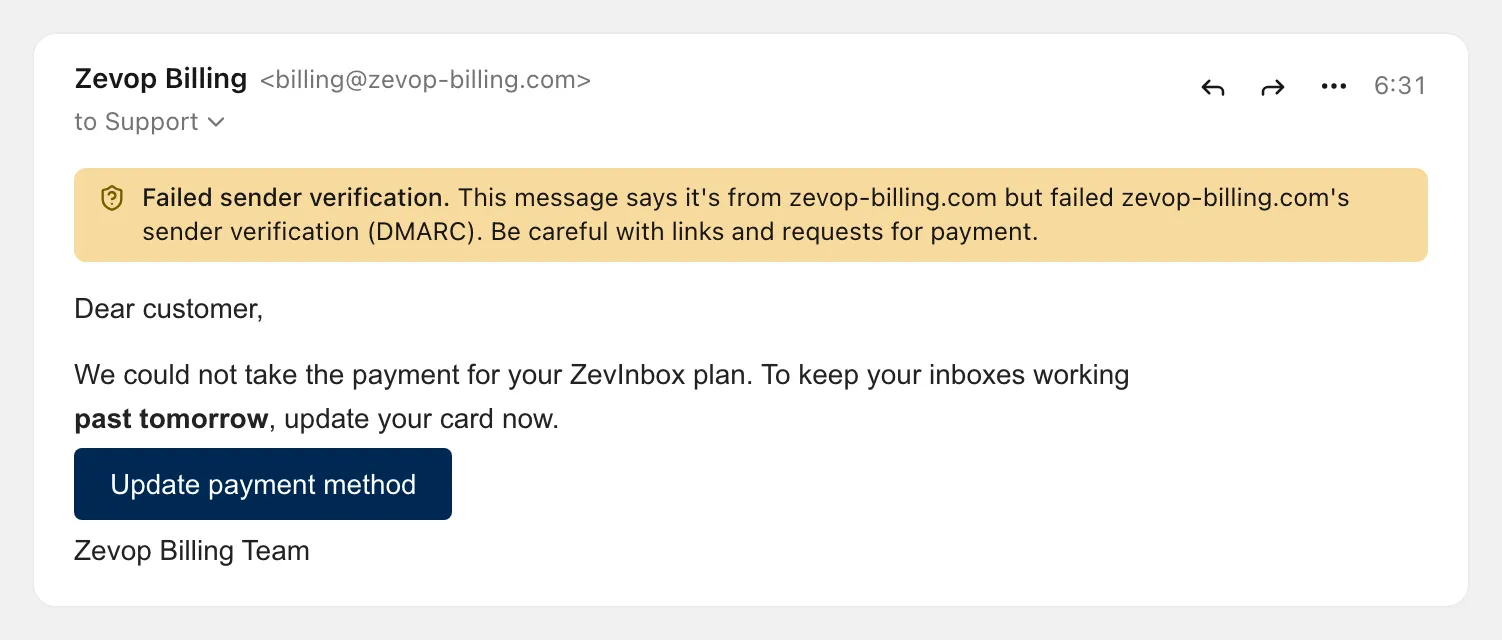
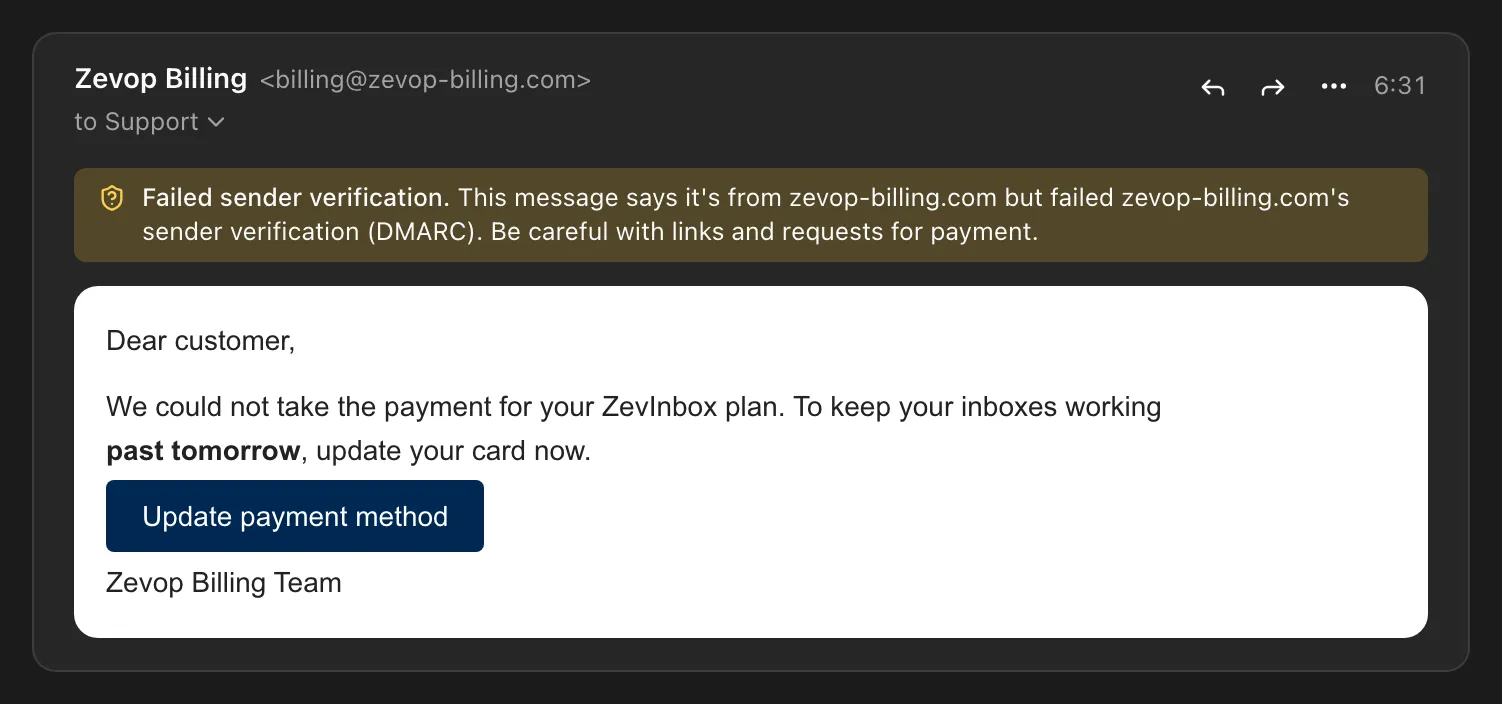
- Whether the sender is who they claim to be
- SPF, DKIM and DMARC results are recorded on every message. Senders that prove who they are get a mark, and a message that fails verification carries a warning above it.
When what you have is enough
If two or three people share one address, mail is light, and nobody needs to track who owns what, a shared mailbox or delegation does the job. You already have it, and there is nothing new to learn. On Google Workspace, a collaborative inbox adds assignment and a done state.
ZevInbox is for what comes after that: a customer gets two answers or none, the team needs to discuss a message before replying, or several teams share addresses and each should see only its own.
Questions about switching
Does ZevInbox replace Gmail or Outlook?
No. ZevInbox is for the addresses your team answers together, like support@ or sales@. Each person keeps their own email with the provider you use today.
Do I have to change my MX records?
Only if you choose Full mailbox, where ZevInbox receives all mail for the domain. If you keep your current provider, your MX records stay as they are. You forward each shared address to ZevInbox and add DNS records so replies go out from your domain and customers’ replies come back.
Can I try ZevInbox before changing any DNS?
Yes. Every inbox has a ZevInbox address that receives mail and lets you reply while your domain is being set up. You need a verified domain to start new conversations from your own address.
How is ZevInbox different from a Google Workspace collaborative inbox?
Both let a team assign a conversation to one person. In ZevInbox the team also writes internal notes on the conversation, shares a draft and writes it together, and is told when a teammate is already replying. Google’s help pages for collaborative inboxes do not describe those.
How is ZevInbox different from a Microsoft 365 shared mailbox?
A shared mailbox gives several people access to one mailbox from Outlook. ZevInbox gives every conversation an owner, internal notes, shared drafts and a notice when a teammate is already replying, and members see only the inboxes their teams use.
Do our replies still come from our own address?
Yes, once your domain is verified. Replies go out from your address and are signed with your domain’s DKIM key. Until then they go out from the inbox’s ZevInbox address, and the composer says so before you send.
Try ZevInbox for 14 days
No payment details to start. After the trial, a plan is one flat price for your organization.
Plans start at NGN 2,500 a month for the whole organization, before VAT, with a 14-day trial.