
Verified senders
See who really sent it
ZevInbox checks each sender and marks the ones it can verify. A mark means the sender proved who they are. It is not an endorsement.
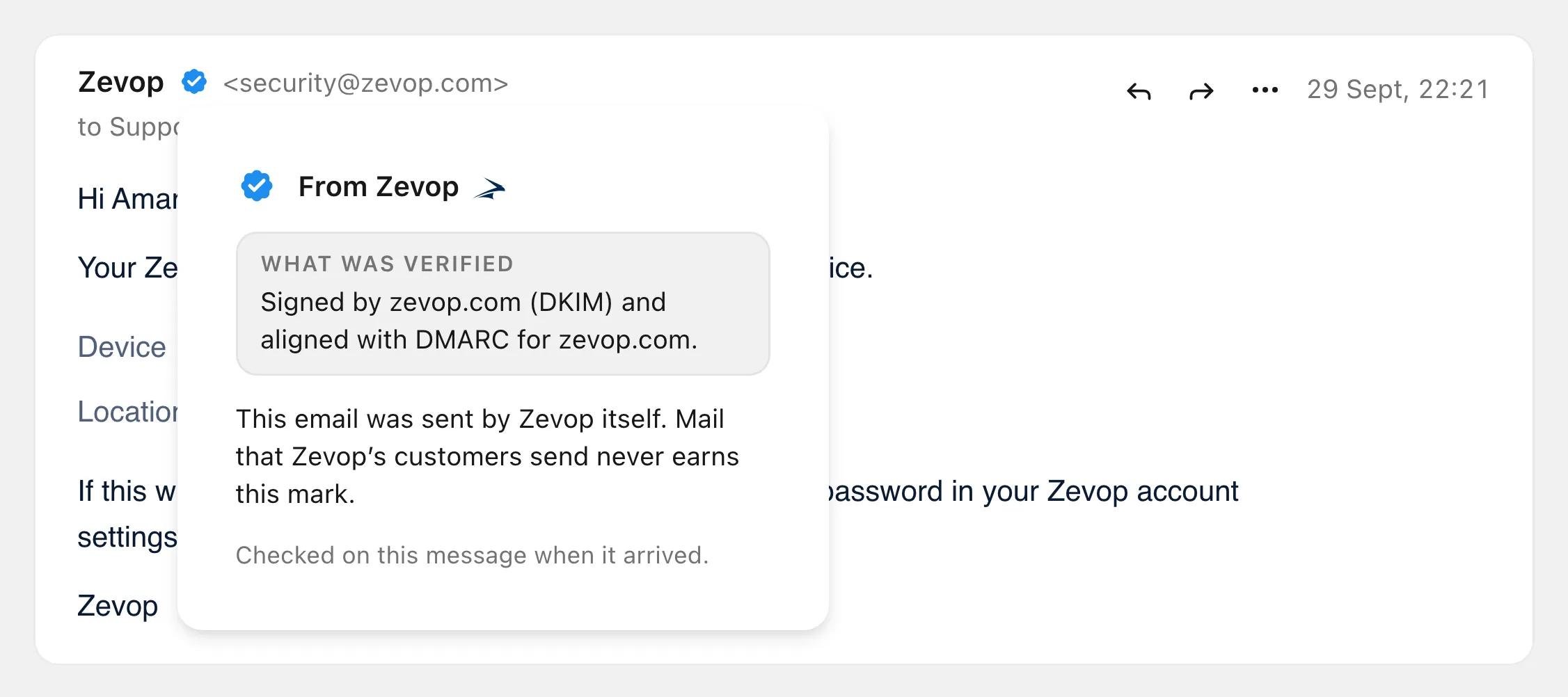
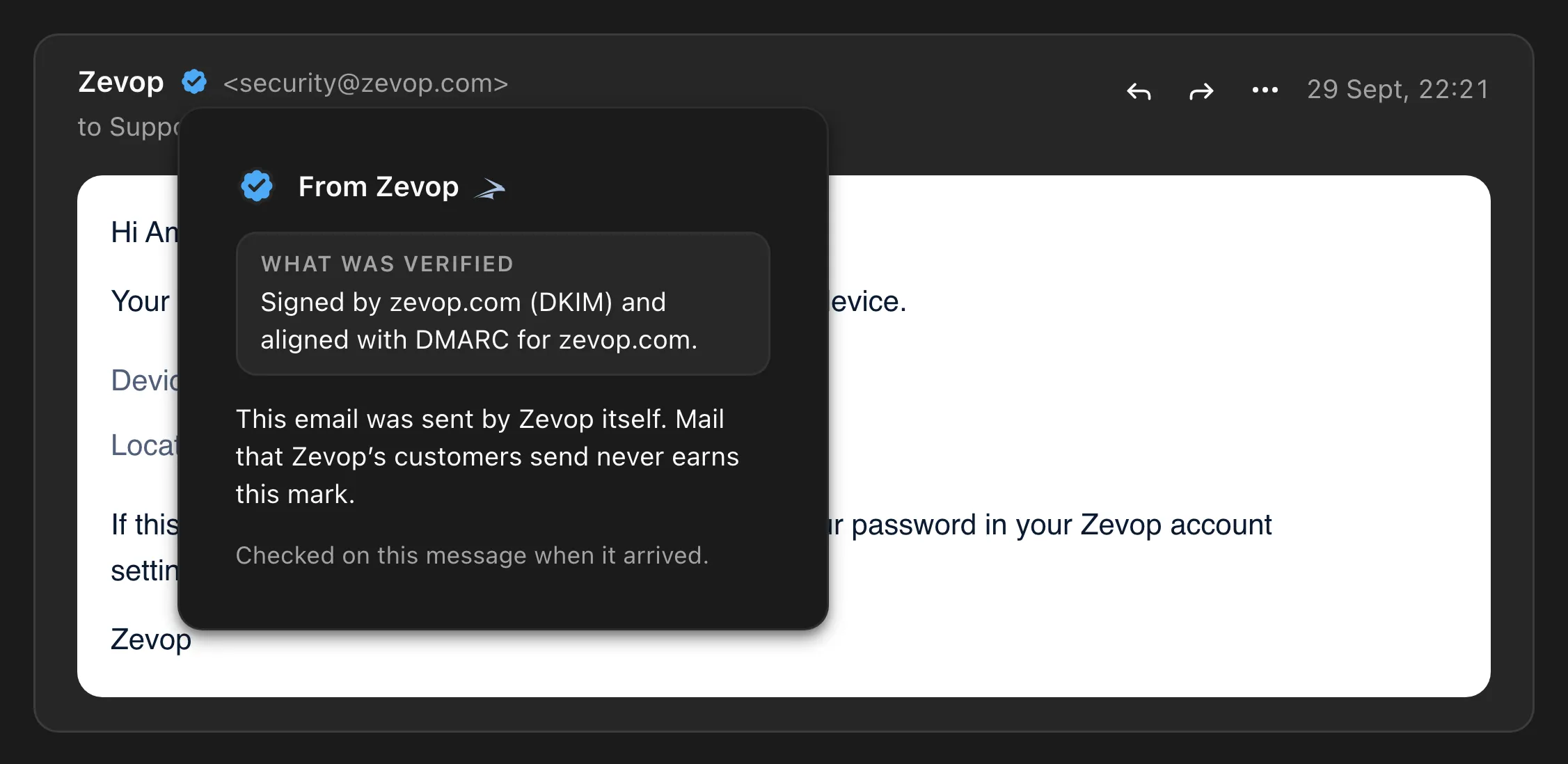
Mail from Zevop itself, or from the Zevop product that sent it. The mark names the product, such as From ZevSend, and carries its icon.
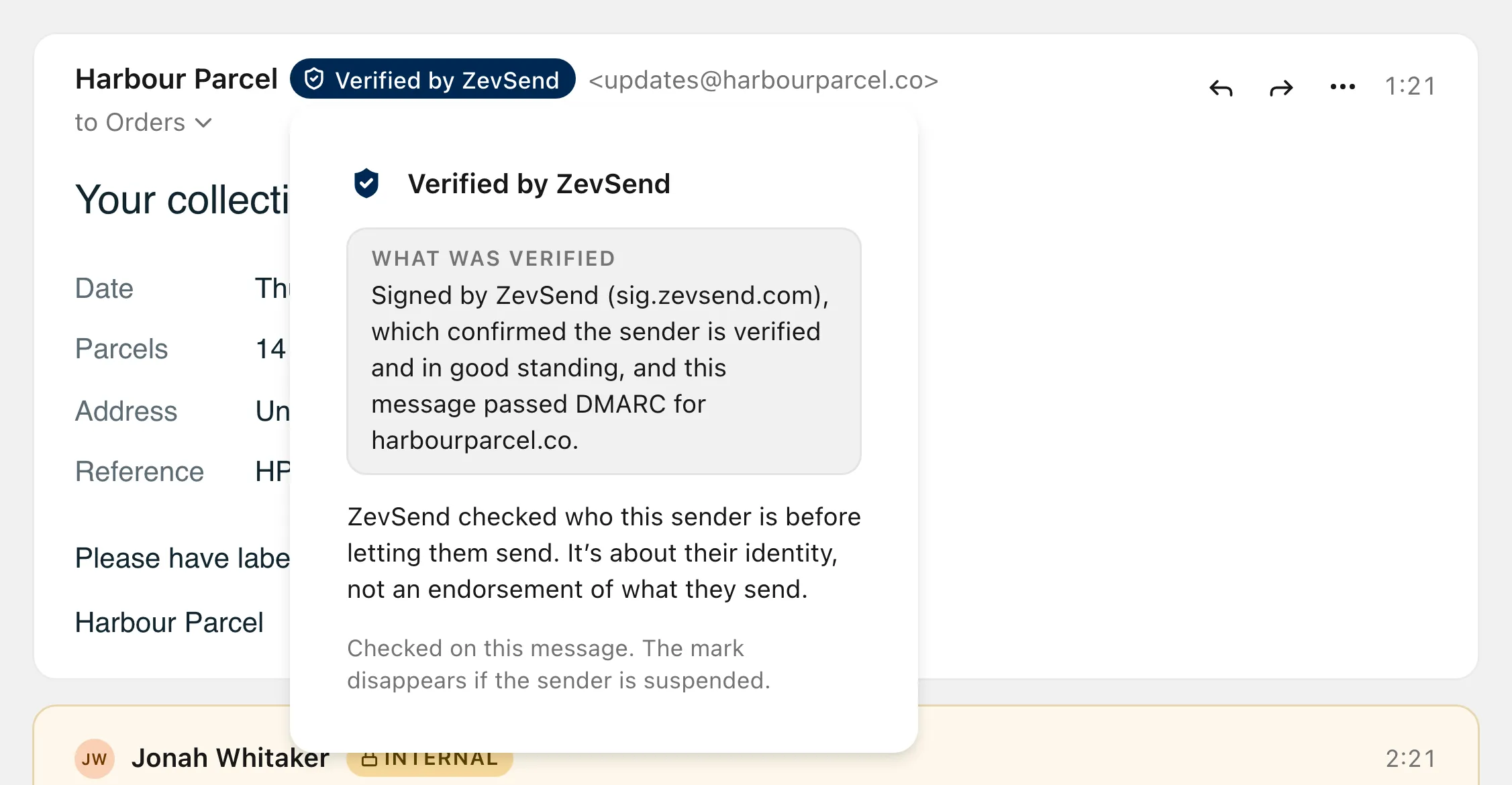
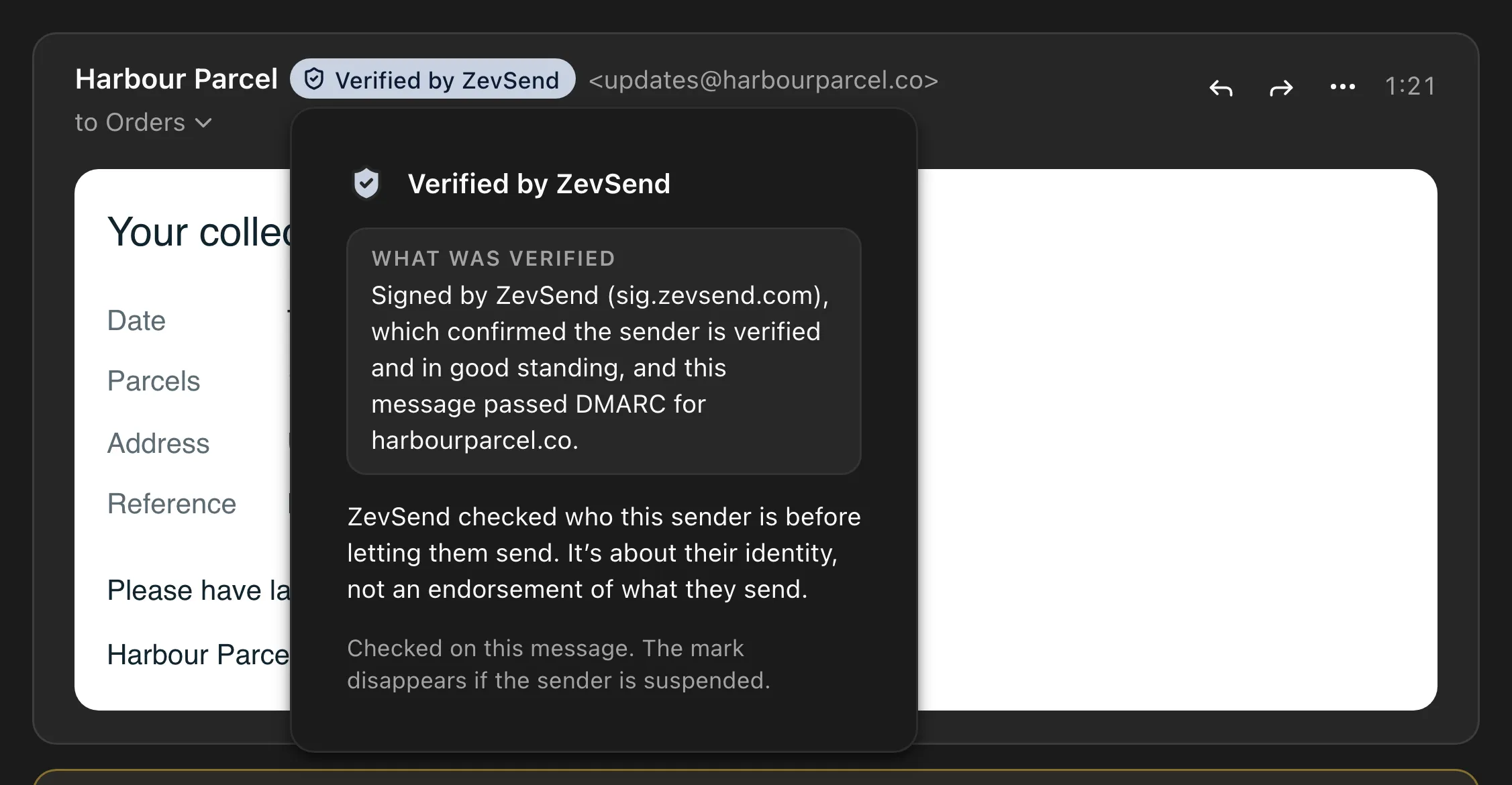
The sender sends through a Zevop platform that checked who they are. The mark is about identity, not an endorsement.
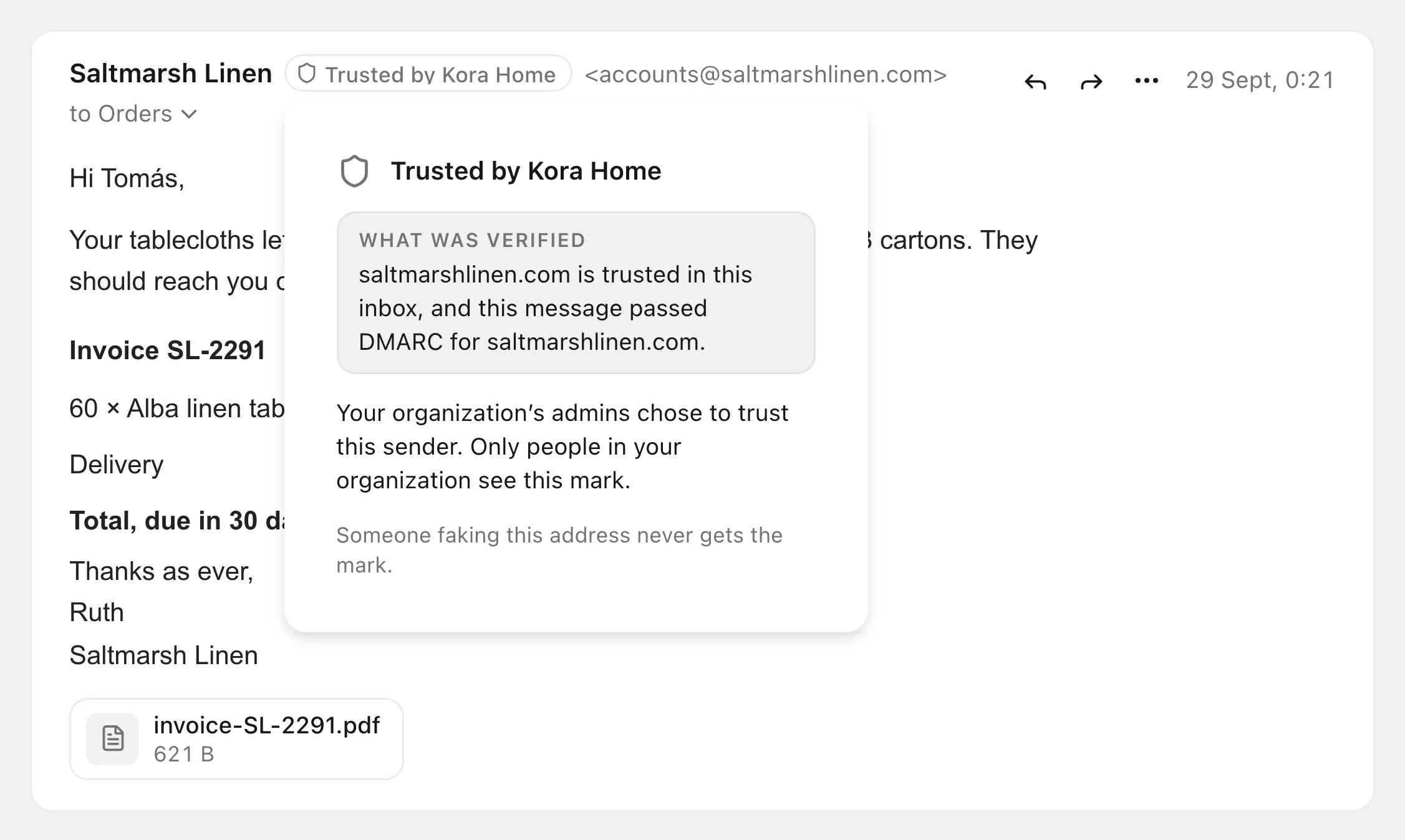
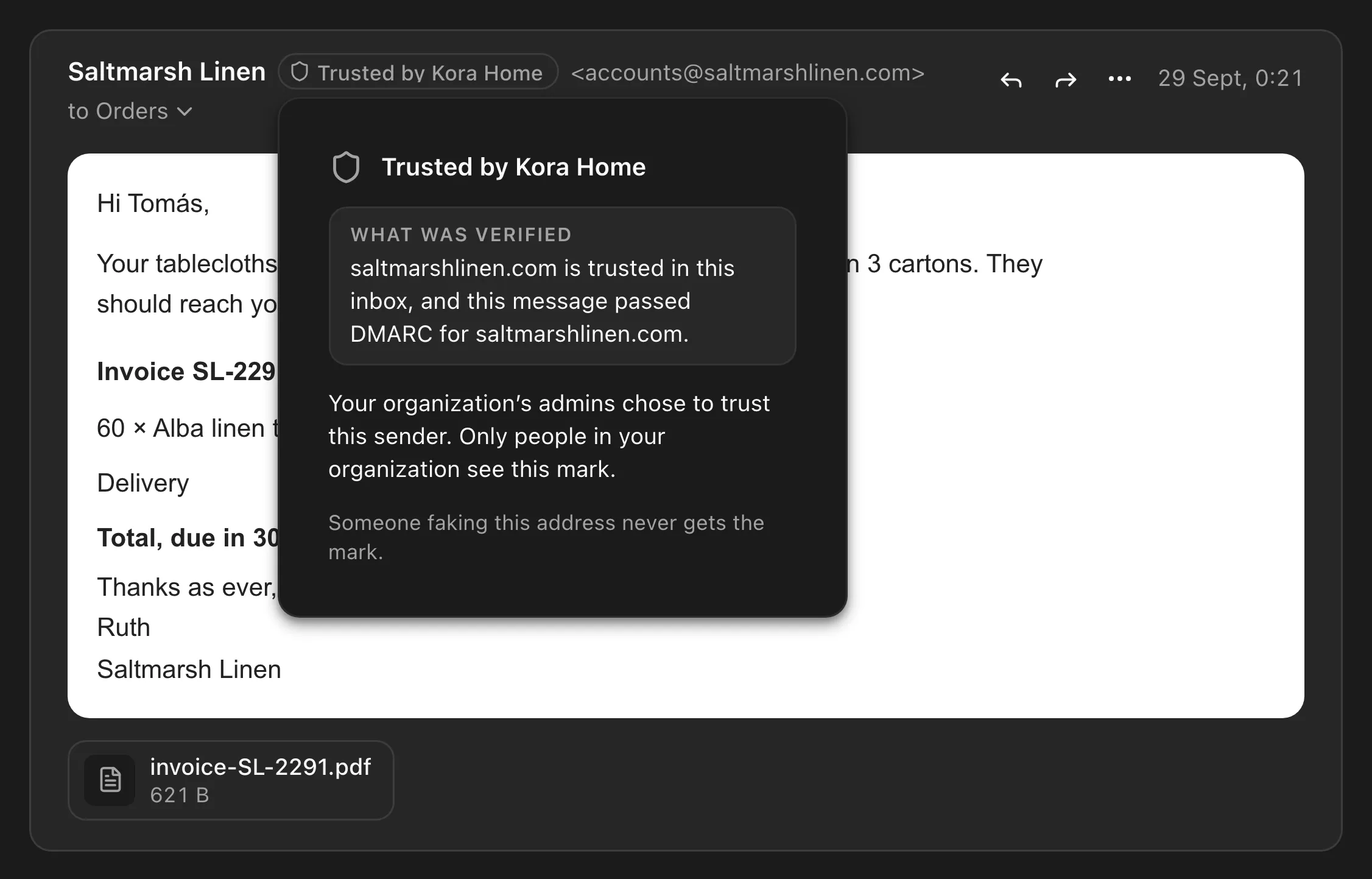
Your admins chose to trust this sender. The mark shows your organization’s name.
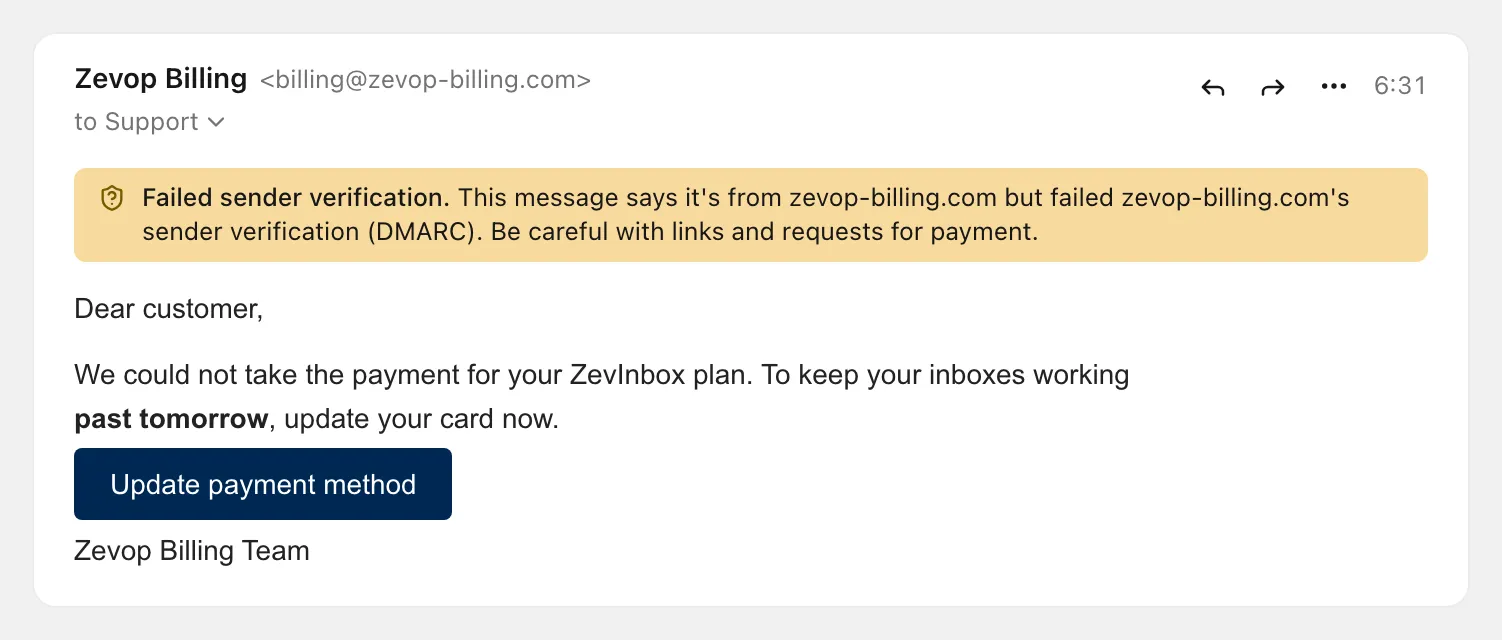
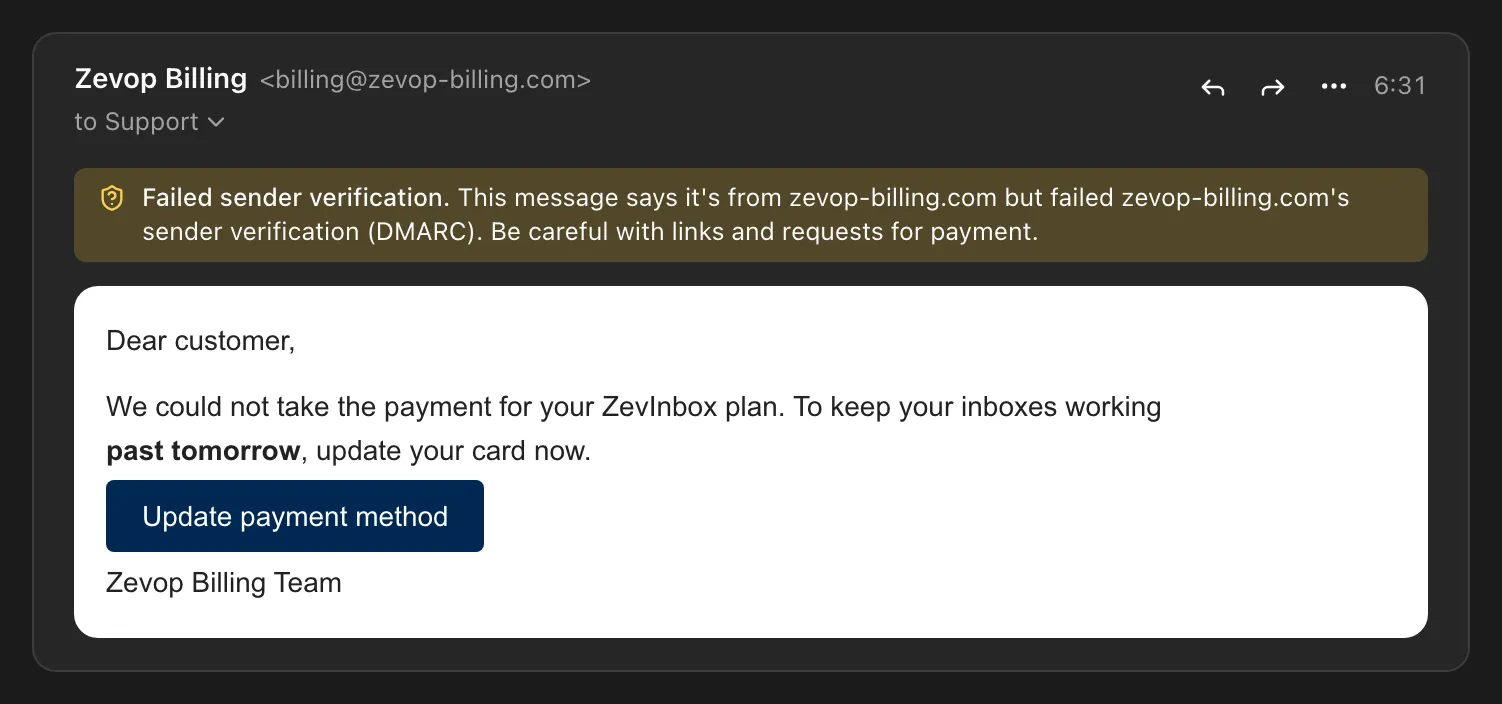
A message that fails sender verification gets a warning above it: be careful with links and requests for payment.
From Zevop, or a Zevop product
Mail from Zevop itself, or from the Zevop product that sent it. The mark names the product, such as From ZevSend, and carries its icon.
Verified by ZevSend or ZevCampaign
The sender sends through a Zevop platform that checked who they are. The mark is about identity, not an endorsement.
Trusted by your team
Your admins chose to trust this sender. The mark shows your organization’s name.
Failed verification
A message that fails sender verification gets a warning above it: be careful with links and requests for payment.
How each mark is earned
Marks show in the conversation list, in search results and on the open message. Open one to see what was checked.
- Verified brand
- The sender’s domain publishes a certified brand logo (BIMI) and passes DMARC under an enforcing policy.
- From Zevop, or a Zevop product
- Signed by Zevop’s own domain and aligned with DMARC. Only mail from Zevop and its products gets it.
- Verified by ZevSend or ZevCampaign
- Sent through a Zevop platform that checked who the sender is, from an account in good standing.
- Trusted by your team
- Your admins chose to trust this sender, and the message passes DMARC.
Read the checks yourself
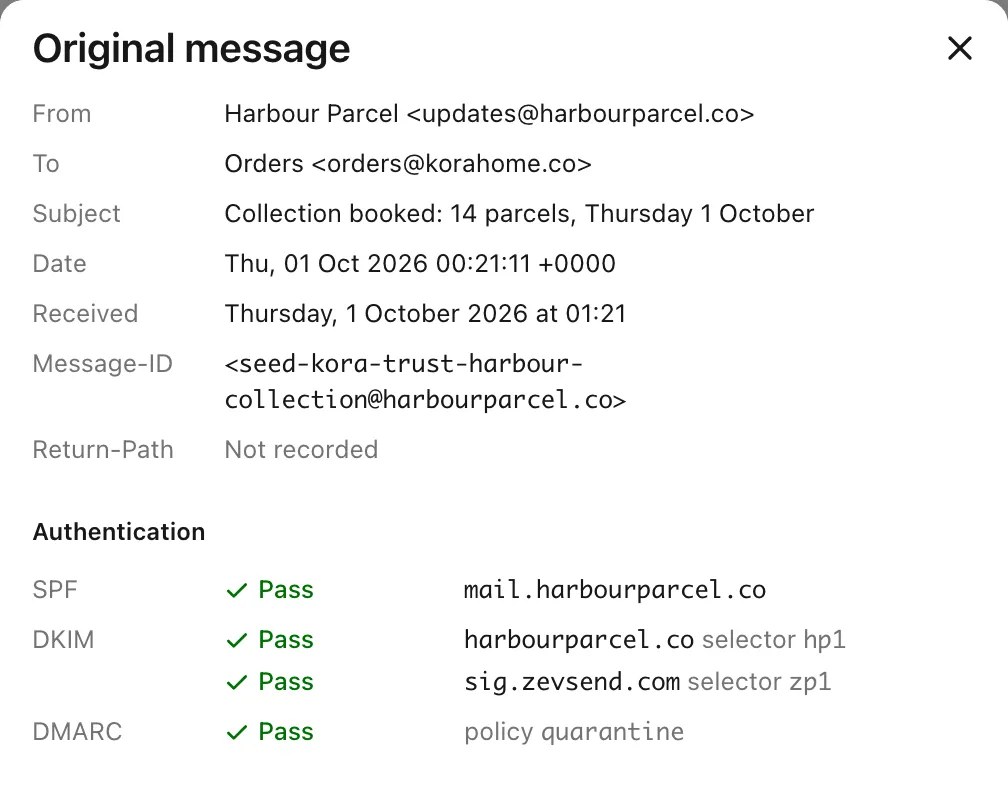
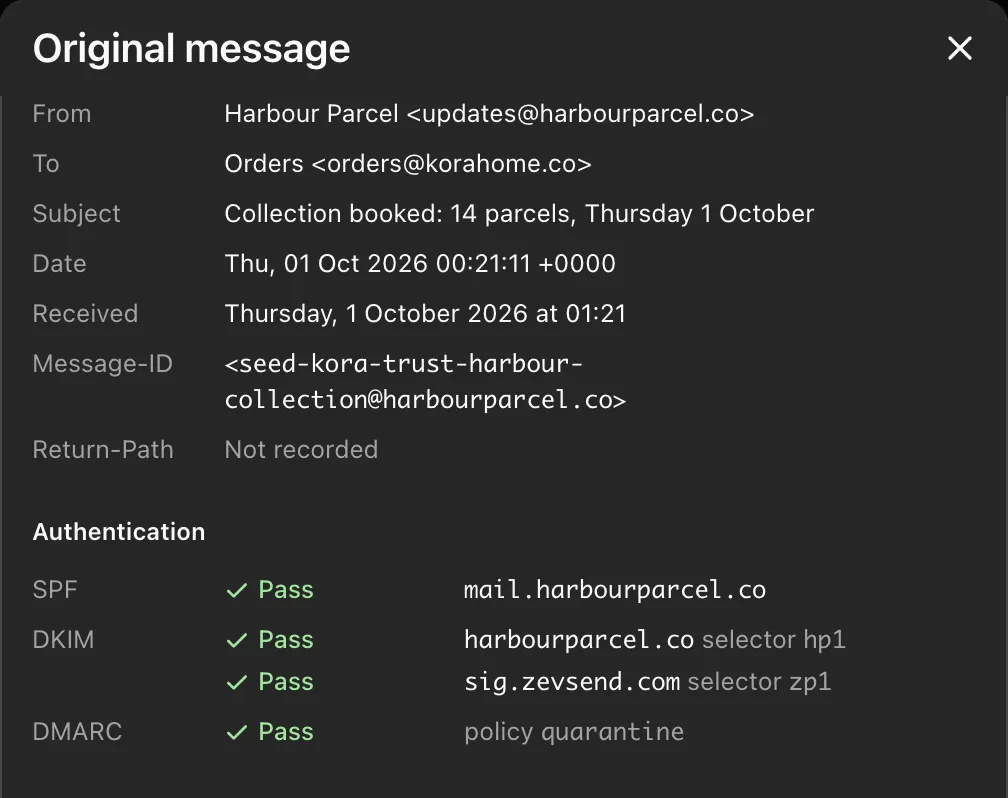
View original, in a message’s menu, shows the SPF, DKIM and DMARC results, the domain and selector of each signature, and the full headers. Download the message as an .eml file while its raw copy is stored, which is 30 days.
- Open to anyone who can read the message
- For a quarantined message, owners and admins only
- A message with a virus cannot be downloaded
Avatars and images are private
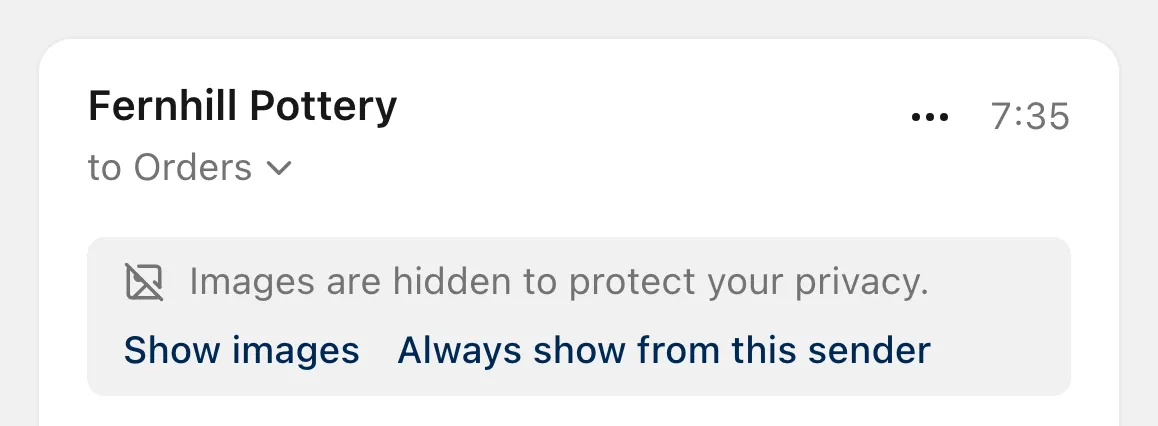
Remote images in a message stay hidden until you choose Show images. When you do, ZevInbox’s servers fetch and re-encode them, as they do sender logos and avatars. Your browser never loads them from the sender, so the sender does not get your IP address.
- Always show from this sender is your own choice, offered only for mail that passed sender verification

Try ZevInbox for 14 days
No payment details to start. After the trial, a plan is one flat price for your organization.
Plans start at NGN 2,500 a month for the whole organization, before VAT, with a 14-day trial.