The DNS records, one by one
What each record ZevInbox asks for does, which are required, and what their status means.
Updated 2 min read
Your domain's page in Settings › Domains lists every record to add, with its type, name and value, each with a copy button. The records depend on how ZevInbox handles your domain. See Full mailbox or keep your current provider.
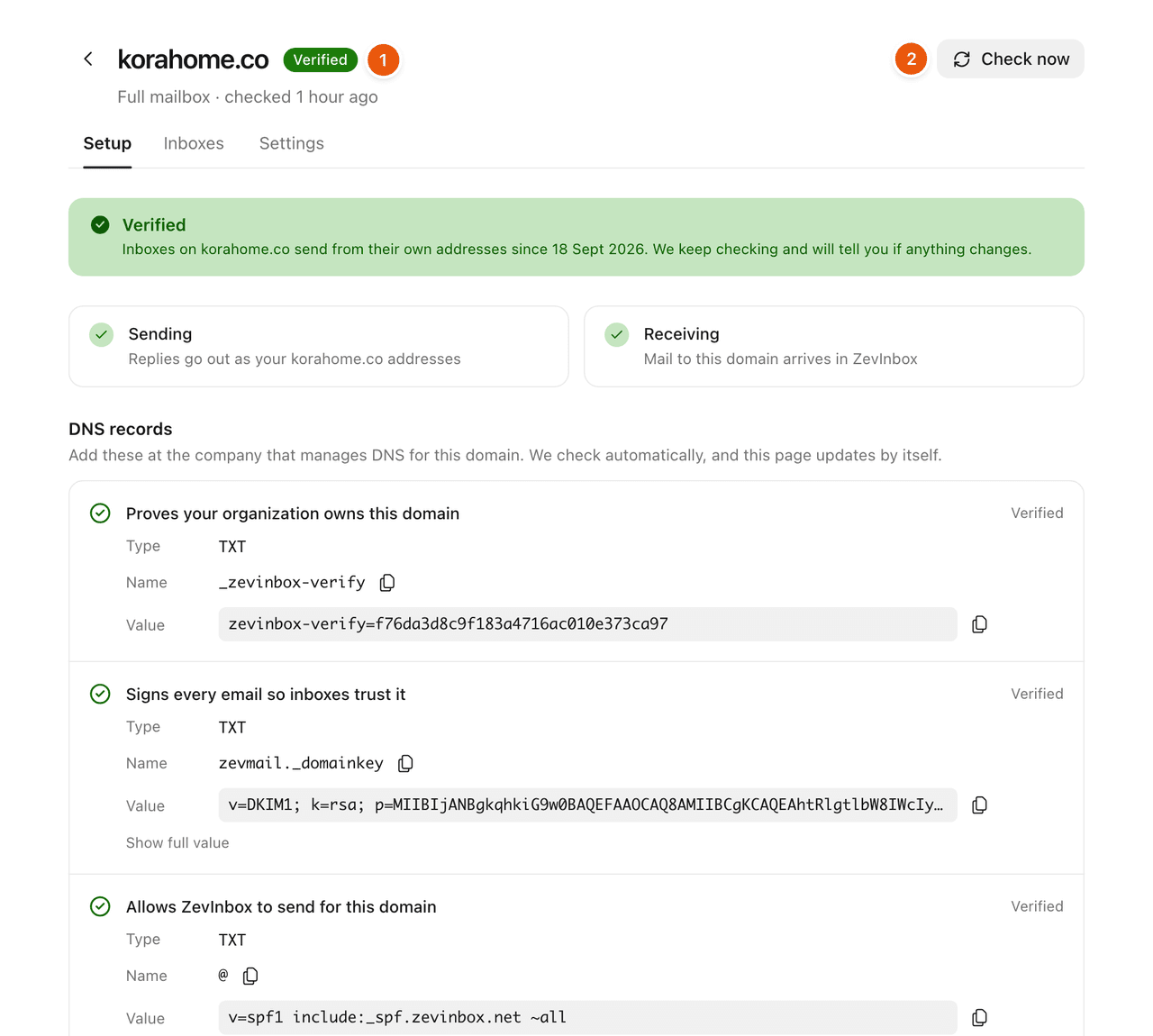
The records
Record | Type | Required? | What it does |
|---|---|---|---|
Ownership | TXT | Required | Proves your organization owns this domain |
DKIM | TXT | Required | Signs every email so inboxes trust it |
SPF | TXT | Required | Allows ZevInbox to send for this domain |
Inbound MX | MX | Required for a full mailbox | Delivers incoming mail to ZevInbox |
Reply MX | MX | Required when you keep your provider | Brings customer replies straight back to ZevInbox |
MAIL FROM MX | MX | Recommended | Brings bounces back to ZevInbox |
MAIL FROM SPF | TXT | Recommended | Keeps bounce handling aligned with DMARC |
DMARC | TXT | Recommended | Tells receivers how to treat unauthenticated mail |
A domain only ever shows one of the two MX records for incoming mail, the one that matches how ZevInbox handles it.
If the merged record would need more than 10 DNS lookups, the page tells you. Receivers stop at 10 and then treat the whole record as broken, so remove includes for services you no longer use.
Adding them
Copy the name exactly as shown. It is written without your domain on the end, which is what most DNS panels expect. If yours wants the full name, add your domain after it.
Copy the value with the copy button. Long DKIM values are easy to cut short by hand.
For MX records, set the priority shown.
What each record's status means
Status | Meaning |
|---|---|
Verified | The record is there and correct. |
Doesn't match | Something is at that name, but not the value ZevInbox expects. The page shows We found: with what is there now, so you can compare. |
Not found | Nothing is at that name yet. The time shows when ZevInbox last looked. |
Not checked yet | ZevInbox has not looked yet. |
DNS changes can take a few minutes to a few hours to show up. ZevInbox keeps checking by itself, or select Check now.
Related
Was this helpful?
Still stuck?
Email hello@zevinbox.com with what you tried, and the team answers.