Common domain mistakes
Web addresses, www, subdomains and other things that stop a domain from verifying.
Updated 2 min read
Most domains that do not verify have one of these problems.
Typing a web address instead of the domain
Your email domain is the part after the @ in your address. For support@yourcompany.com, it is yourcompany.com.
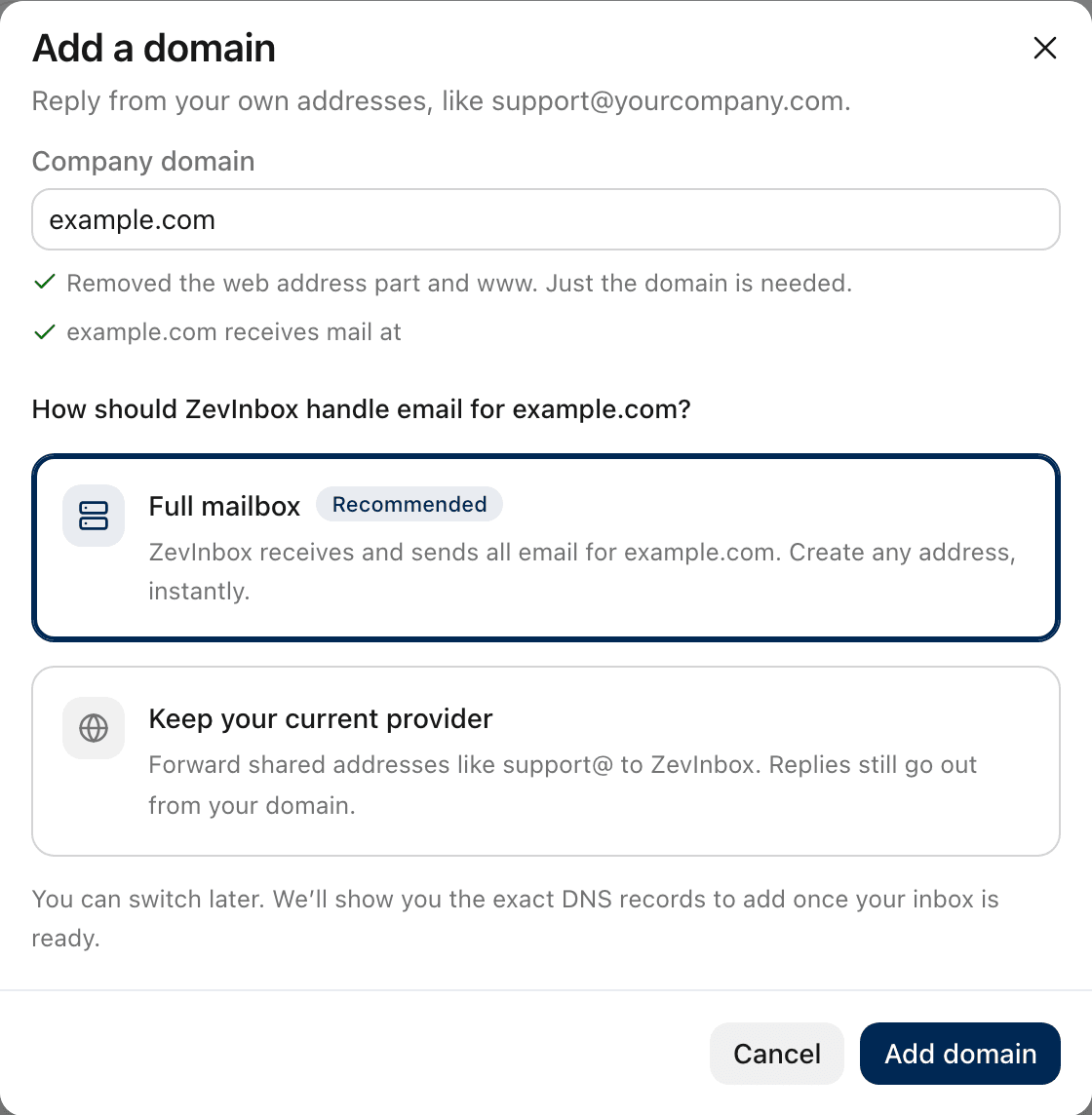
If you paste a web address like https://www.yourcompany.com/contact, ZevInbox removes the extra parts and keeps just the domain, and tells you it did.
Adding www
www.yourcompany.com is a different name from yourcompany.com. It is usually your website, and email is not set up for it. ZevInbox removes a leading www. for you.
If your addresses really are on a subdomain, like support@help.yourcompany.com, add that subdomain. It works like any other domain.
Adding the records at the wrong company
DNS records only count where your domain's DNS is actually managed. That is not always where you bought the domain: if you moved your DNS to a hosting provider or a service like Cloudflare, add the records there.
If your domain shows Setup incomplete after 72 hours, this is the most likely cause.
Adding the domain to the name
Many DNS panels add your domain to the end of a record's name for you. ZevInbox shows names without it. If you paste the full name into such a panel, the record ends up at a name like zevmail._domainkey.yourcompany.com.yourcompany.com, and is not found.
Two SPF records
A domain can have only one SPF record. If yours already has one, replace it with the merged value ZevInbox shows, which keeps your current senders. See The DNS records, one by one.
Cutting a value short
DKIM values are long. Use the copy button rather than selecting the text, and check the whole value was saved.
Choosing a full mailbox by mistake
If your team already receives email on the domain, a full mailbox moves all of it to ZevInbox once the MX records change, including personal mailboxes at your current provider. If you only want shared addresses in ZevInbox, choose Keep your current provider. See Full mailbox or keep your current provider.
Was this helpful?
Still stuck?
Email hello@zevinbox.com with what you tried, and the team answers.