When a payment is late
What happens when an invoice goes unpaid, what read only means, and how to get full access back.
Updated 2 min read
ZevInbox never deletes your mail because a payment is late, and mail keeps arriving. If an invoice stays unpaid long enough, the organization becomes read only until it is paid.
The timeline for a renewal
7 days before a monthly period ends (14 days for an annual one), the renewal invoice is issued and emailed. It is due on the last day of the period.
The day before it is due, a reminder goes out if it is unpaid.
If the period ends unpaid, the invoice is Overdue. You keep full access for 7 more days. A banner tells owners and admins the date the organization becomes read only, and members are told an owner has been notified.
3 days before that date, owners and your billing email get a warning.
After the 7 days, the organization becomes read only. The unpaid invoice is cancelled.
Pay at any point before step 5 and nothing changes for your team. The new period still starts where the old one ended. See Pay an invoice.
For the first invoice after a trial, see How the trial works.
What read only means
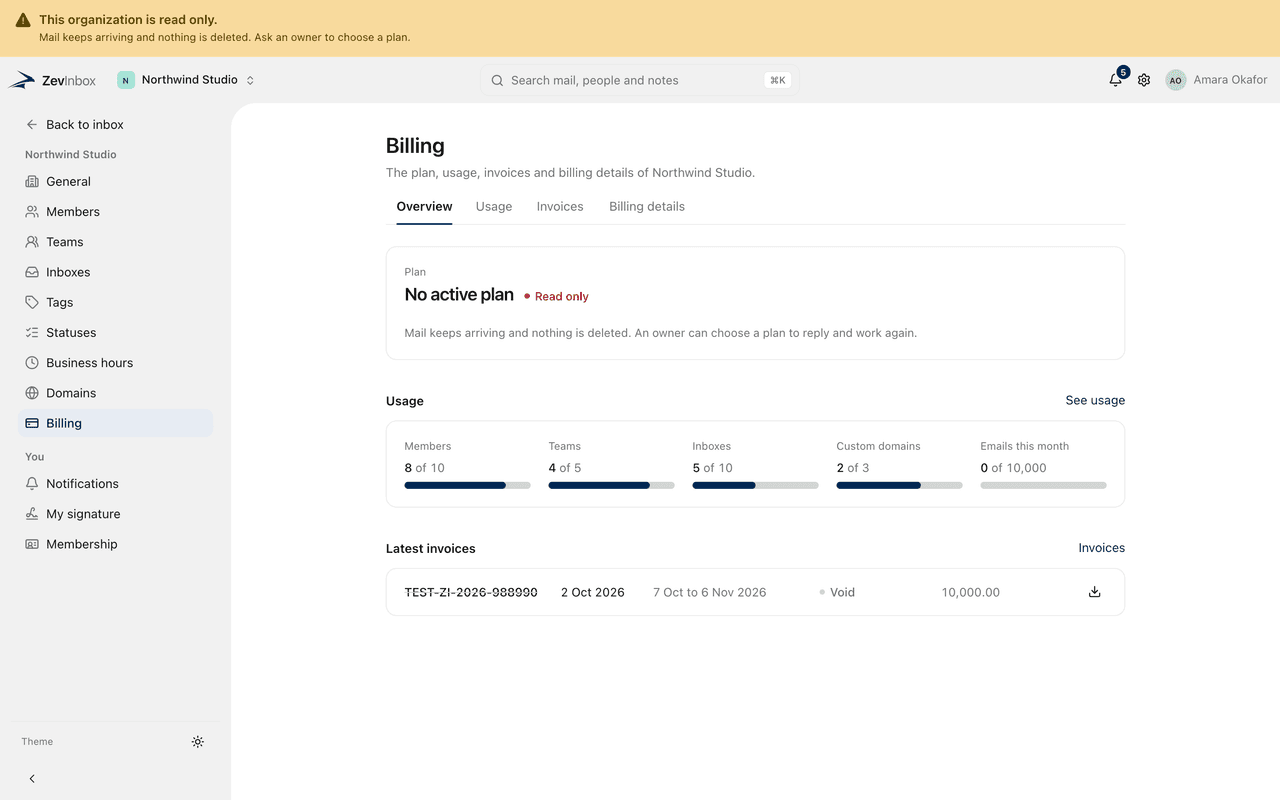
Everyone sees a banner saying the organization is read only.
Still works | Waits until an invoice is paid |
|---|---|
Signing in | Sending, replying and forwarding |
Receiving new mail, shown live | Drafts, internal notes and mentions |
Reading conversations, notes and attachments | Assigning, closing, snoozing, tagging and moving |
Search | Creating or changing teams, inboxes, domains and signatures |
Downloading attachments and originals | Inviting people |
Everything under Billing | |
Removing members, revoking invitations, leaving, transferring ownership, deleting the organization |
Messages scheduled to send later are held, not sent late. Once you are active again, whoever scheduled each one is told and decides whether to send it. Email notifications about work, such as assignments and mentions, pause too. Billing emails continue.
Get full access back
An owner chooses a plan and pays its invoice:
Go to Settings › Billing.
Select Choose a plan, pick the plan, and select Create invoice.
Pay it. See Pay an invoice.
Full access returns as soon as the payment is confirmed, for everyone, without a reload. The new period starts on the day you pay. You are not charged for the time the organization was read only.
Admins can pay an invoice that is already open, but only an owner can choose a plan.
After 30 days
30 days after it became read only, the subscription is marked as ended and the reminders stop. The organization stays read only, and nothing is deleted. You can still choose a plan and pay at any time to return.
Related
Was this helpful?
Still stuck?
Email hello@zevinbox.com with what you tried, and the team answers.