Change or cancel your plan
Upgrade, move to a smaller plan, switch between monthly and annual billing, or cancel.
Updated 2 min read
Only owners can change or cancel the plan. Admins can see the plans and pay invoices.
On the iPhone and iPad app there is no Billing page. Use ZevInbox on the web.
Change plan
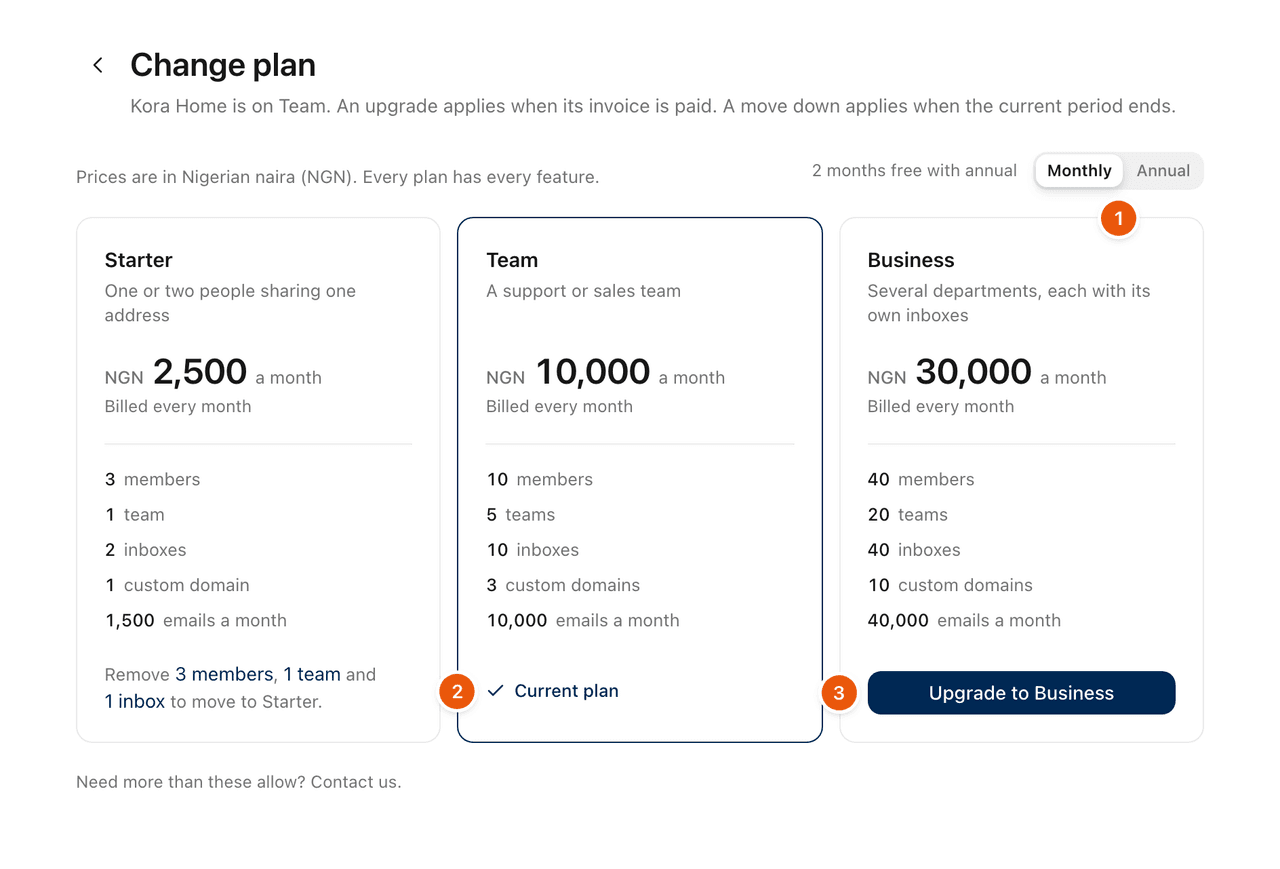
Go to Settings › Billing and select Change plan.
Pick Monthly or Annual.
Select the button on the plan you want.
Check what the change does, then confirm.
Change | When it applies | What you pay |
|---|---|---|
Upgrade to a larger plan | As soon as its invoice is paid | The difference for the days left in the current period. Your renewal date stays the same. |
Move to a smaller plan | When the current period ends | Nothing now. The next renewal invoice is for the smaller plan. |
Monthly to annual, or annual to monthly | When the current period ends | The next renewal invoice uses the new billing. |
Annual billing costs the same as 10 months.
An upgrade invoice that nobody pays changes nothing, and is cancelled after 7 days.
If a renewal invoice is already open when you change plan, it is cancelled and replaced by one for the new plan.
Moving to a smaller plan
Your organization has to fit the smaller plan first. If it does not, the plan says what is in the way, for example "Remove 3 members, 1 team and 1 inbox to move to Starter", with links to each page. You choose what to remove. ZevInbox never removes anything for you.
Once the move is scheduled:
Billing shows the date it changes.
Until then, you cannot add more than the smaller plan allows.
Keep [plan] cancels the scheduled change.
Cancel your plan
Go to Settings › Billing.
At the bottom of Overview, select Cancel plan.
Read what happens, optionally say why you are leaving, and select Cancel plan.
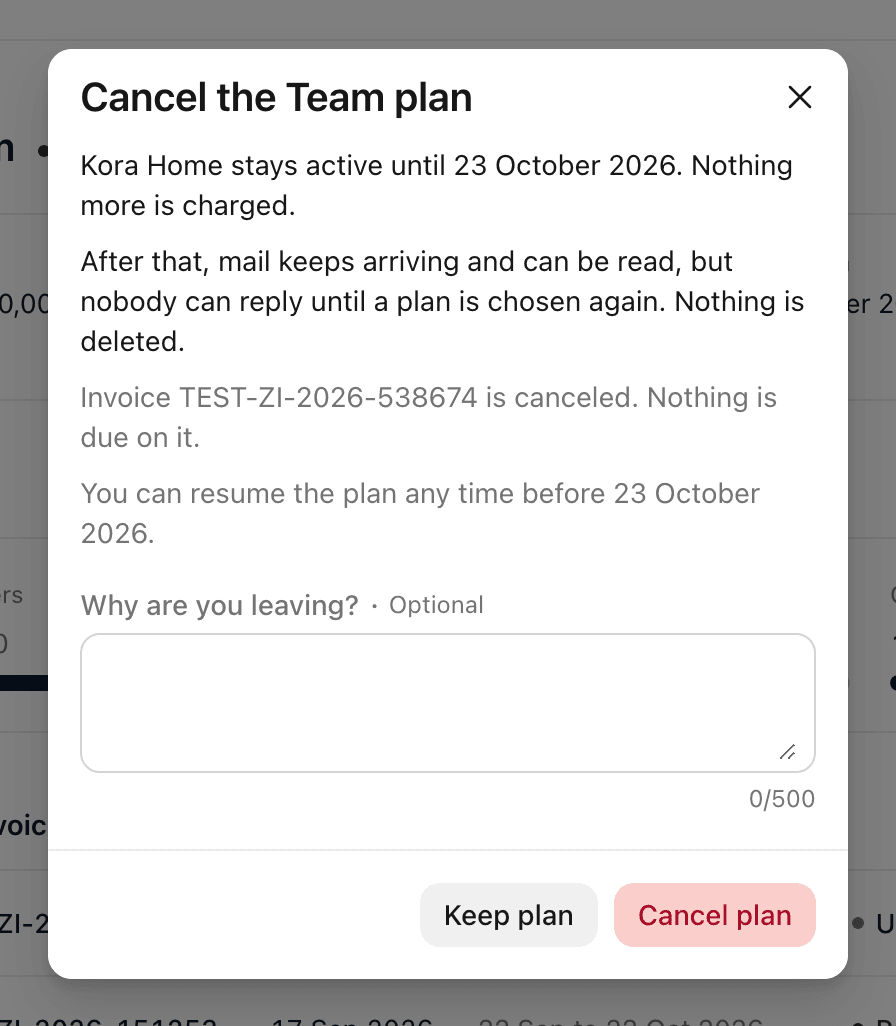
Your organization stays active until the end of the period you paid for. Nothing more is charged.
An unpaid renewal invoice is cancelled.
After that date, it becomes read only. Mail keeps arriving and can be read, but nobody can reply until a plan is chosen again. Nothing is deleted.
Until that date, select Resume plan on Billing to carry on as before.
During the 14-day trial the button is End trial, and the organization becomes read only straight away.
To come back after your plan has ended, choose a plan and pay its invoice. See When a payment is late.
To stop using ZevInbox altogether, you can also delete the organization. See Transfer ownership, delete or restore an organization.
Related
Was this helpful?
Still stuck?
Email hello@zevinbox.com with what you tried, and the team answers.