Monitoring inboxes for routine mail
Keep an inbox of routine mail, like supplier updates or notices, out of All and Unassigned.
Updated 1 min read
Some inboxes get mail your team should be able to see but rarely needs to act on, like delivery bookings, supplier updates or account notices. Turn such an inbox into a monitoring inbox so its mail stops crowding the shared views.
What changes
When an inbox is a monitoring inbox:
Its new, unassigned conversations do not show in All or Unassigned in the sidebar.
They still arrive in the inbox itself, on its Unassigned tab.
Once someone assigns a conversation, it shows in that person's views as usual, such as Assigned to me.
Search, Unread, Following and Reminders work as usual.
Nobody is alerted about its new conversations, by push or by email.
Nothing is hidden from anyone. People who can open the inbox can still open every conversation in it.
Turn it on
Owners and admins can change this.
Go to Settings › Inboxes and open the inbox.
Open the Settings tab.
Under Shared work views, turn off Include routine mail in All and Unassigned.
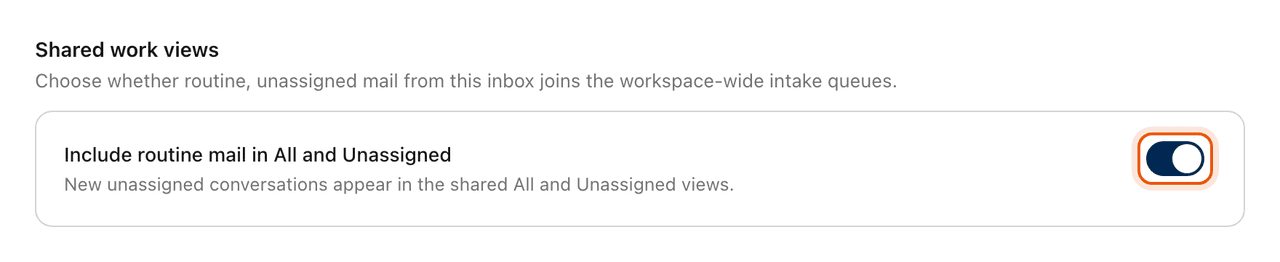
The change saves straight away, and the section shows Monitoring. Turn the switch back on to bring the inbox's unassigned mail back into All and Unassigned.
How to spot one
A monitoring inbox shows a small broadcast icon beside its name in the sidebar and on its team's Inboxes tab. Point at it to read that the inbox keeps routine mail out of All and Unassigned.
In Settings › Notifications, a monitoring inbox has no new-conversation alert to turn on. See Choose what you are notified about.
Related
Was this helpful?
Still stuck?
Email hello@zevinbox.com with what you tried, and the team answers.