Company
Introducing ZevInbox, a shared inbox for your team
What ZevInbox is, the problem it solves for teams that share support@ or sales@, and how to try it. The post to send anyone who asks.

DAN 5 min read

Hi, I'm Dan. I'm one of the founders of Zevop, and I lead engineering across the Zev products. This is the first post on the ZevInbox blog. If someone sent you this link, you probably asked them "what is ZevInbox?" This is the long answer. It takes about five minutes.
The problem, in one picture
Picture a small shop with one counter and three people behind it. A customer walks in and asks about her order. All three look up. Two of them start answering at once, and while they talk over each other, the next customer gives up and walks out.
That is how most teams handle the email that arrives at support@ or sales@. The address is shared. Sometimes the password is shared too, passed around in a group chat. Sometimes the mail is forwarded to everyone. Either way, everybody sees the email and nobody is sure who is answering it. So two people reply, or nobody does.
Forwarding makes it worse. When you forward an email to a colleague to ask "what do we say here?", the conversation splits in two. The customer is in one thread, your team is in another, and the answer ends up in somebody's personal inbox.
What ZevInbox is
ZevInbox gives every shared address one inbox, and every inbox a team that owns it. Everyone on the team sees the same conversations. Each conversation has one owner. And the team can talk about an email right beside it, without forwarding anything.
Back to the shop. ZevInbox is the ticket machine by the door: every customer gets a number, one person calls it, and everyone else can see it has been called.
It is organized the way a business already is:
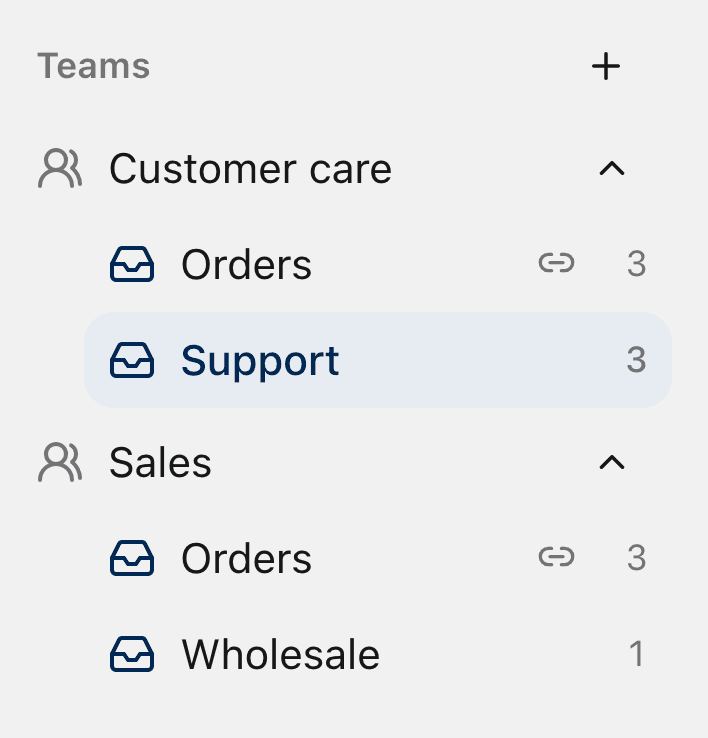
Organization: your business, with its domain and its people.
Teams: the people who work together, like Customer care or Sales.
Inboxes: one for each shared address, like support@ or orders@. A team can have several inboxes, and an inbox can belong to more than one team.
Members see the inboxes their teams use. Owners and admins see all of them.
Notes your customer never sees
This is the part I like most. Every conversation has internal notes. You write a note under the customer's email, @mention a teammate, and they get a notification. The customer never sees it.
Think of the chart that hangs at the foot of a hospital bed. Doctors and nurses write on it for each other. The patient is right there, but the chart is for the staff. Internal notes are that chart, pinned to the email.
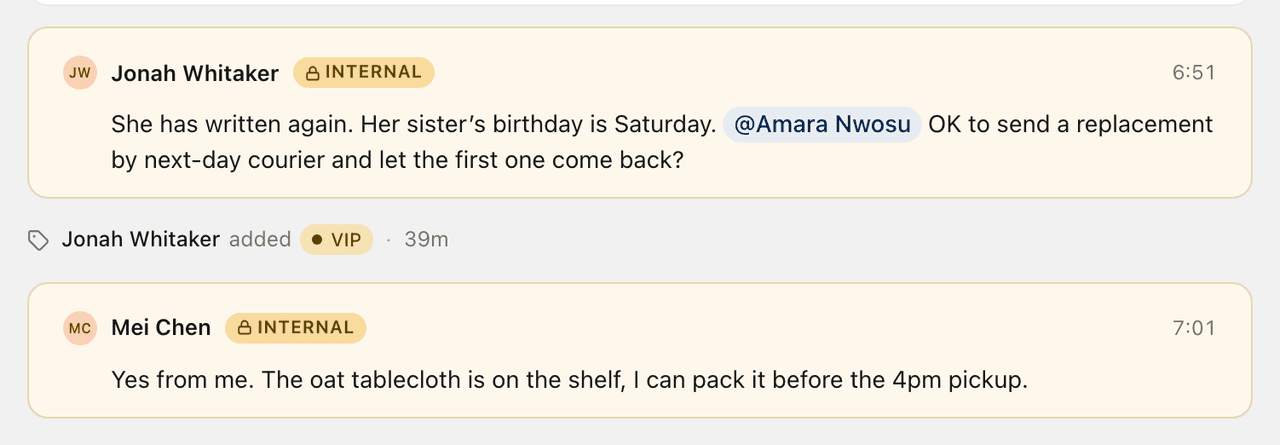
No more "see email below" chains. The question, the decision and the reply sit in one thread, and whoever opens it next month can see why you did what you did.
Nobody answers twice
New mail waits in All unassigned until someone takes it or is given it. When you open a conversation, you can see who else is reading it. If a teammate starts writing a reply, ZevInbox tells you before you write the same answer.
Some replies need two heads. Share the draft and write it together. You see each other's cursor, the way you do in a shared document, and either of you can send it.
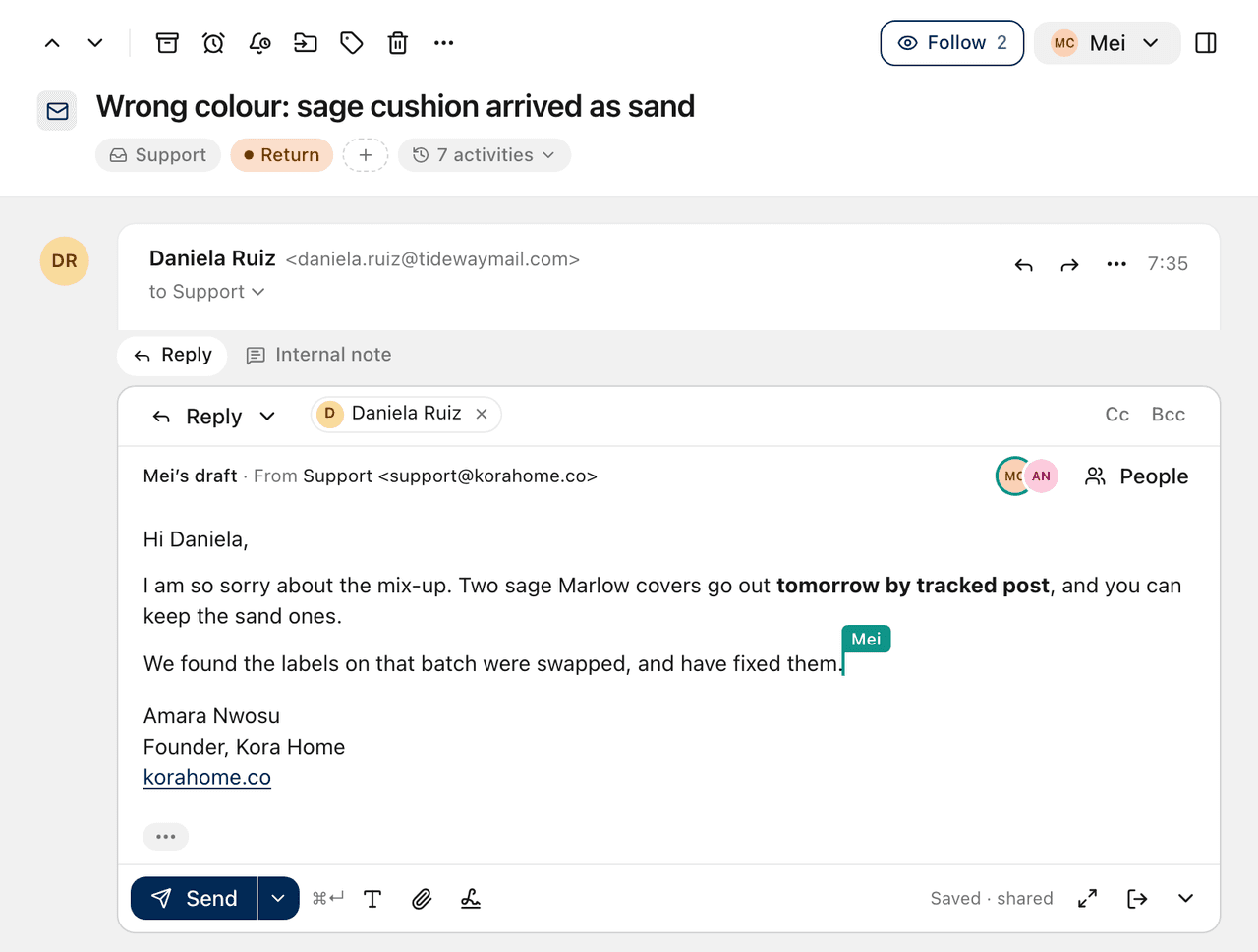
If a conversation cannot move until next week, snooze it for the team and it comes back on its own. If you only want a nudge for yourself, set a reminder that only you see.
From your own domain
Your customers write to support@yourbusiness.com, and your team answers from the same address. Not from a personal Gmail, and not from some other domain.
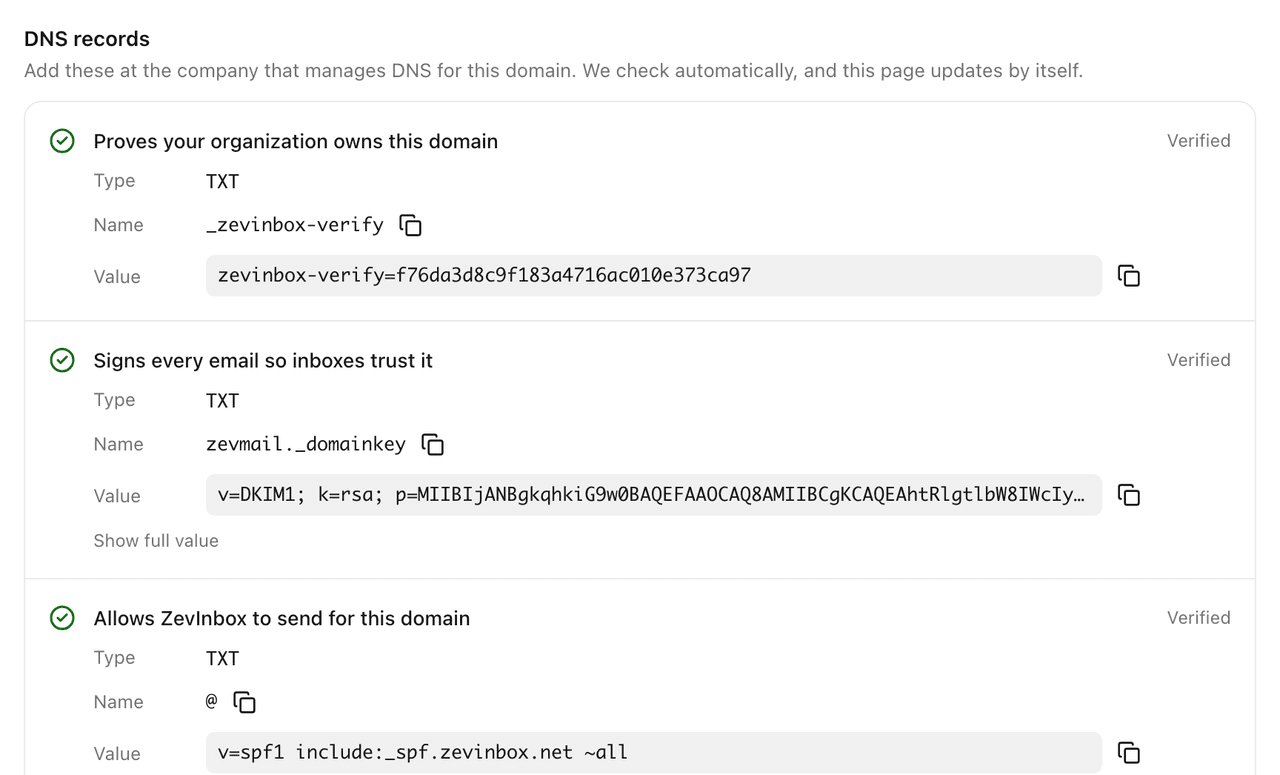
You can use ZevInbox as the full mailbox for your domain. Or, if you already pay for Google Workspace or Microsoft 365, keep it and forward only the shared addresses to ZevInbox. Setup is a short list of DNS records, each with a copy button. ZevInbox checks them for you, then checks again every six hours, so you hear about it if something breaks later.
Mail you can trust
Shared addresses get the worst of the internet: spam, fake invoices, and "update your payment details" emails. ZevInbox scans every message for spam, phishing and viruses on the way in. Senders that prove who they are get a mark. Mail that pretends to come from somewhere it does not gets a warning, and dangerous mail is held in quarantine until an owner or admin looks at it.
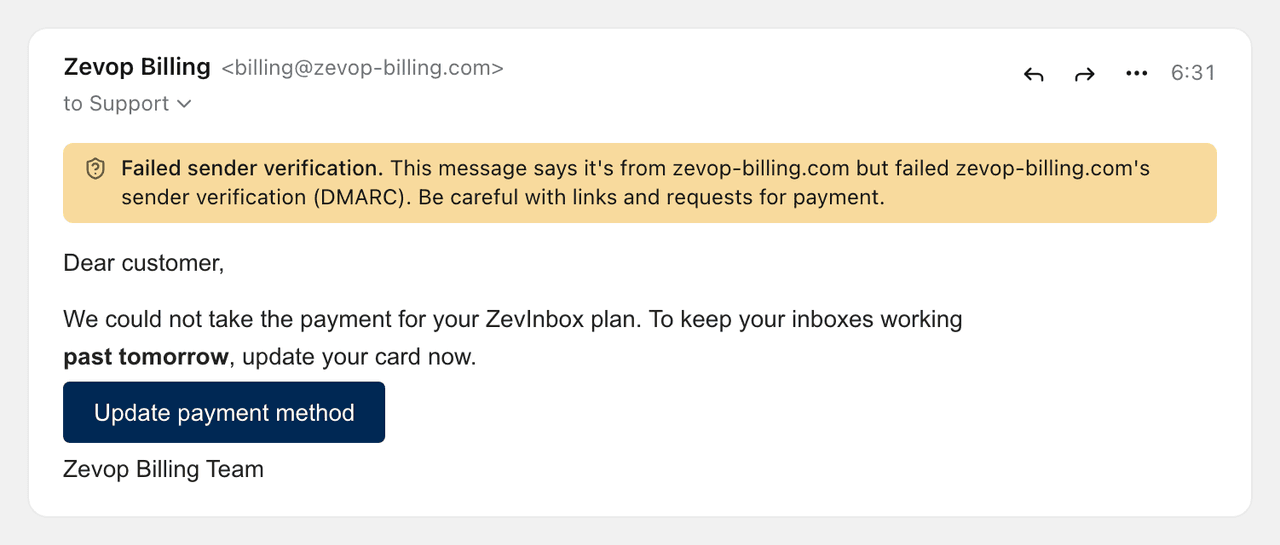
A link whose text shows one address but goes to another asks before it opens. Remote images load through ZevInbox, so the sender does not get your IP address.
On your phone too
ZevInbox works in any browser at app.zevinbox.com. There is also an app for iPhone on the App Store and for Android on Google Play. Assign, leave notes and reply from your own domain, and your phone tells you when a teammate needs you.
What it costs
Plans start at NGN 2,500 a month before VAT, and the price is for the whole organization, not for each person. We chose that on purpose. When every seat costs money, often in dollars, adding the colleague who answers twice a week turns into a budget question. It should not be one.
Every plan has every feature. The plans differ in how many people, teams, inboxes and domains you can have. There is a 14-day trial, and you do not need a card to start it. The details are on the pricing page.
Try it with one real email
Sign up at zevinbox.com, add your domain, invite one teammate, and answer one real customer email together. That is enough to see whether it fits. The help centre has a short video for each step.
If you have a question, or you want me to walk your team through it, write to hello@zevinbox.com. A person reads every message.
Dan
